Motion Transfer Video: Your Photo, Any Dance
Animation used to need rigs, keyframes and weeks of work. With motion references it takes two files: one still photo (appearance) and one short video of the movement (dance, gesture, sports action). The AI transplants the motion onto your photo while keeping the same face and outfit.
A two-reference approach separates the two jobs: the appearance reference locks the person (face, hair, clothing), the motion reference supplies the movement. Because the model sees the actual movement video, timing and body mechanics come out natural instead of guessed.
Try it: motion transfer generator
Sign in with Google in 1 second — check in daily for free credits (up to 60 a week)What you can do for free →
Showcase Demos & Prompts
Click 'Generate with this prompt' to auto-fill the generator above
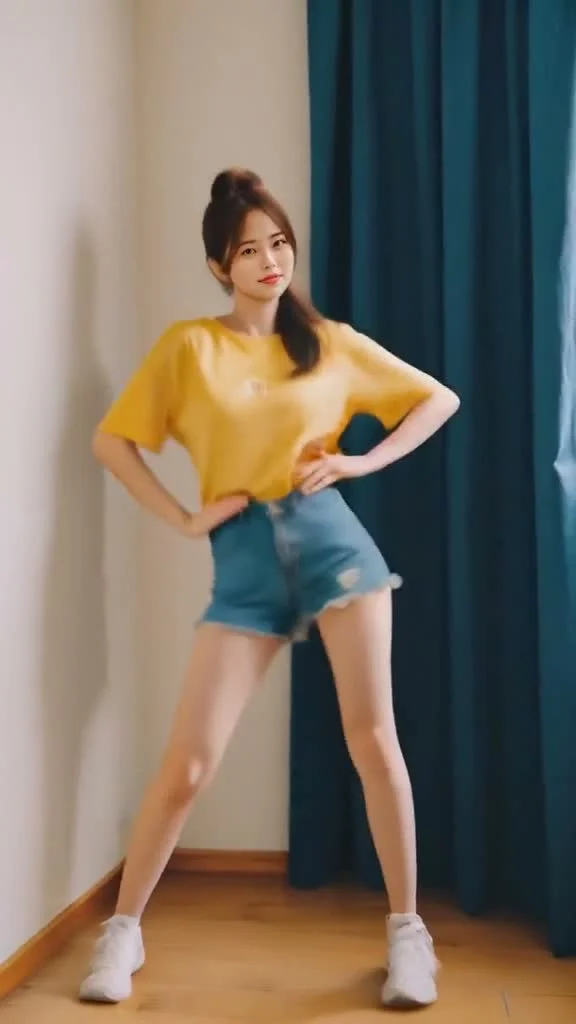
K-Pop Dance Motion Transfer
The young woman in the appearance photo performs the exact dance routine from the motion reference video, energetic natural body mechanics, outfit and face unchanged
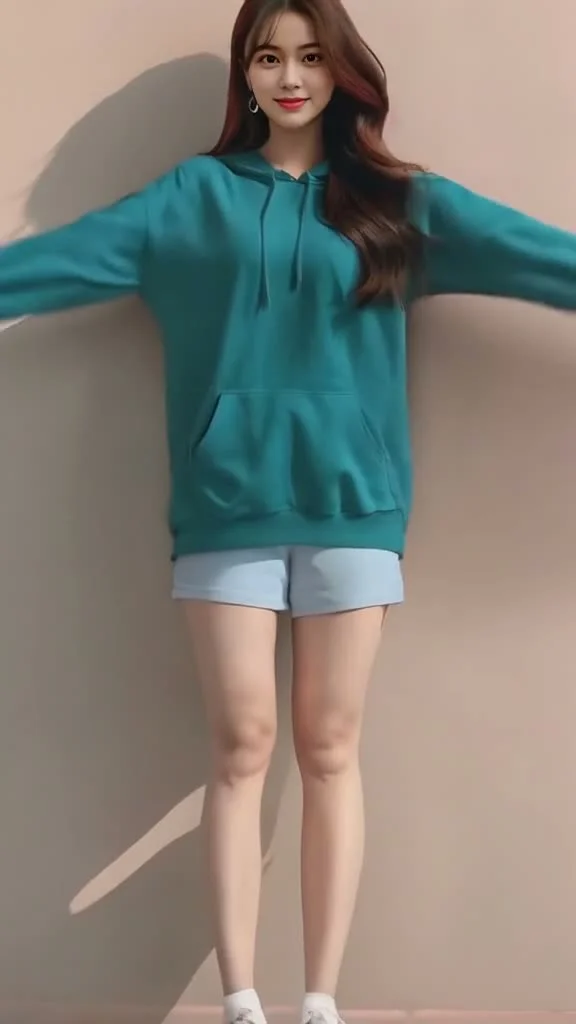
Casual Rhythm & Gesture Transfer
The person in the reference image replicates the casual rhythm and clapping gestures from the motion video, natural body motion, face and hoodie preserved
Why motion transfer works (how a photo learns a dance)
Making a character move traditionally means skeletal rigging and frame-by-frame animation — far beyond most creators. Newer one-click tools fix the workflow but often replace the face or melt the outfit.
A two-reference approach separates the two jobs: the appearance reference locks the person (face, hair, clothing), the motion reference supplies the movement. Because the model sees the actual movement video, timing and body mechanics come out natural instead of guessed.
This is the workflow behind viral dance covers, meme remixes and sports highlights: one photo of your character becomes a dance clip, a celebration or a signature move — as many times as you change the motion reference.
How to make a motion transfer video in Sesshu
- STEP 011 / 4
Pick a short motion video
A dance, gesture or action clip of a few seconds with one clear movement works best. Keep it within the model's reference limit (about 15 seconds per clip).
- STEP 022 / 4
Prepare one full-body photo
A clear photo of the person or character who will perform the move — visible face and outfit help the identity stay stable.
- STEP 033 / 4
Attach both as references
In the generator below (or at /reference-to-video), attach the photo as the appearance reference and the clip as the motion reference.
- STEP 044 / 4
Describe the motion and generate
Write what is happening — 'performs the same dance, camera locked' — generate a short take, then swap motion clips to build a series.
Motion transfer FAQ
How long can the motion reference video be?
+
Keep the motion clip short and single-action. The Seedance 2.0 family accepts reference videos totaling about 15 seconds per generation; Seedance 2.5 extends to 30 seconds.
Will the face and outfit stay the same?
+
Yes — that is the appearance reference's job. The photo locks the person while the video supplies only the movement, so identity survives the transfer.
Can I use someone else's dance video?
+
Only if you have the rights to use it. For public remixes, prefer your own footage or licensed clips — you are responsible for the source material you upload.
Is it free to try?
+
Yes. Free credits via daily check-in (6–12/day, up to 60/week) cover several short test transfers. No credit card required.
Is there a watermark or commercial restriction on motion transfer clips?
+
Paid plans and credit packs download watermark-free and allow commercial use within our Terms (assuming you hold rights to the input image and motion reference). Free-credit downloads carry a Sesshu watermark.
Can I run motion transfer on my phone without downloading an app?
+
Yes. Everything runs in the browser on both desktop and mobile, with 32 interface languages supported.