Anime Character Animation: Your Illustration Starts Moving
A single illustration can become a living clip: the drawing becomes the first frame and the AI adds breathing, blinks, drifting hair and subtle camera drift — all inside the original art style, no rigging and no redrawing.
The first-frame workflow does the opposite: your illustration is the first frame of the video, and the model animates forward from it. Because the drawing itself stays in the picture, lines, palette and proportions are preserved.
Try it: anime character animation
Sign in with Google in 1 second — check in daily for free credits (up to 60 a week)What you can do for free →
Showcase Demos & Prompts
Click 'Generate with this prompt' to auto-fill the generator above
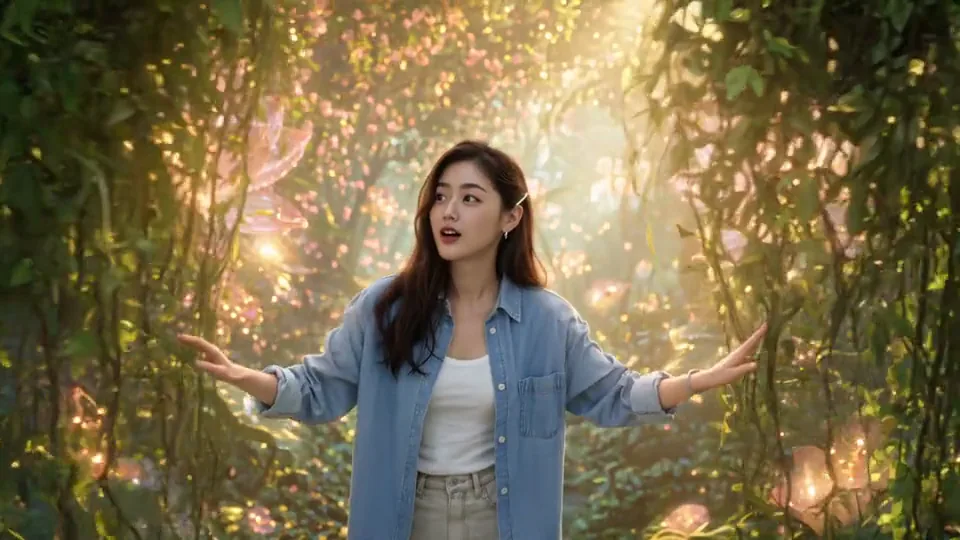
Lotus Realm: Drawing to Life
A fantasy realm where 2D illustration creatures smoothly transform into animated 3D life, delicate crystal petals waving, gentle volumetric light
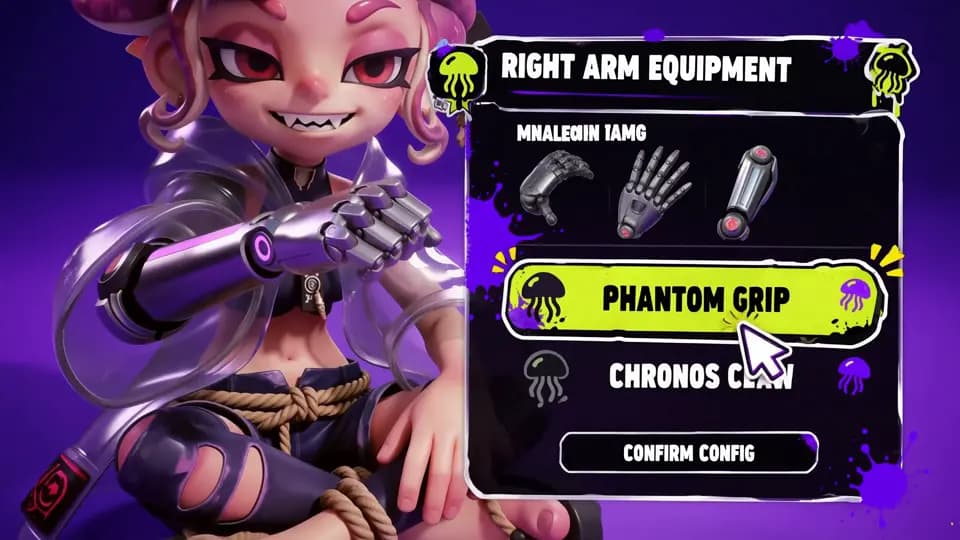
Game Artwork & UI Idle Loop
Extending static game art into a living idle loop: character illustration, glowing art style and buttons preserved with subtle breathing animation
Why image-to-video fits anime (and how the style survives)
Traditional character animation demands rigging, bone setup and frame-by-frame drawing — weeks for a few seconds. Many one-click tools solve it by re-rendering the character, which quietly changes the linework and colors.
The first-frame workflow does the opposite: your illustration is the first frame of the video, and the model animates forward from it. Because the drawing itself stays in the picture, lines, palette and proportions are preserved.
This is the standard approach for VTuber idle loops, artist showcases and music-video backdrops: one clean illustration becomes a subtle living loop that feels hand-animated.
How to animate an illustration in Sesshu
- STEP 011 / 4
Prepare one clean illustration
A finished character drawing — your own artwork or an original design. Clear linework and a simple background animate most stably.
- STEP 022 / 4
Open the image-to-video tool
In the generator below (or at /image-to-video), attach the illustration as the first frame.
- STEP 033 / 4
Describe the motion, not a new picture
Keep the prompt inside the drawing — 'breathing gently, hair sways, blinks once' — so the model animates the character instead of inventing a new scene.
- STEP 044 / 4
Generate a short loop and tune
Start with a few seconds. If the motion is too strong, soften the prompt; if it is too subtle, name the exact motion. Small prompts keep the style intact.
Anime animation FAQ
Will the art style and linework survive?
+
Yes — the illustration is used as the first frame, so lines and colors stay anchored to your drawing. Describing small motions keeps the model from drifting away from the art.
Which motions work best?
+
Subtle, looping ones: breathing, blinking, hair sway, fabric flutter and a gentle camera drift. Big jumps and 360-degree turns tend to break the drawing.
Can I make a long loop?
+
Generate several short clips from the same illustration and stitch them, keeping the same prompt family — that preserves the character between segments.
Is it free to try?
+
Yes. Free credits via daily check-in (6–12/day, up to 60/week) cover several short loops. No credit card required.
Are animated illustration clips watermark-free and commercial-ready?
+
Clips generated with a paid plan or credit pack download without a watermark and can be used commercially under our Terms. Free-credit downloads carry a Sesshu watermark and are for personal, non-commercial use.
Can I choose 9:16 or 16:9 ratios and write prompts in my own language?
+
Yes. You can pick 9:16, 16:9, or 1:1 aspect ratios and write motion prompts in your own language directly in your desktop or mobile browser.